

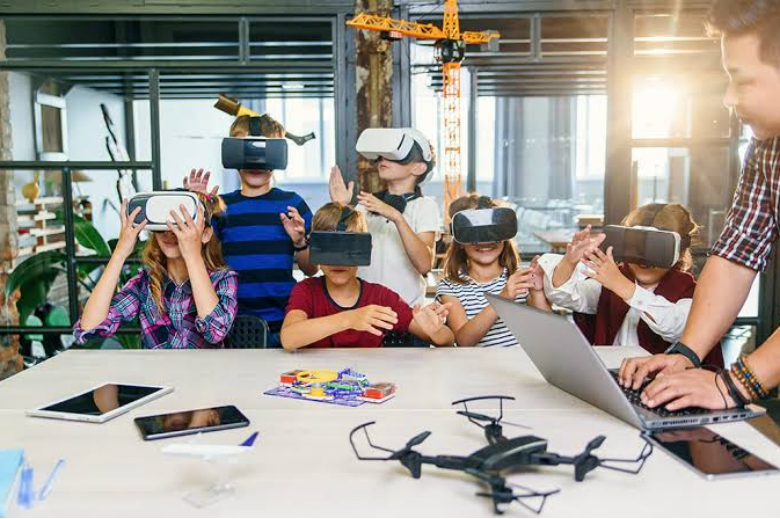
Virtual reality has moved beyond a novelty for many viewers. Modern headsets can place users inside games, travel experiences, live events, interactive films, and other forms of immersive entertainment. Instead of watching a flat image on a television, the viewer can look around a three-dimensional scene and choose where to focus attention. That change makes the equipment, content source, and privacy settings especially important.
For adults exploring VRSpy, the experience combines immersive video with headset-based viewing and age-controlled access. The broader lessons also apply to many types of VR content: choose hardware that fits the intended use, maintain a stable connection, understand how the platform handles data, and keep adult material separate from children’s profiles or shared devices.
What Makes VR Video Different?
Traditional video presents a fixed frame. VR video can give the viewer a wider field of view and the ability to look around the scene. Depending on the production method, the viewer may experience 180-degree or 360-degree footage, stereoscopic depth, or an interactive environment designed for a headset. The result is more about presence and perspective than simply increasing screen resolution.
That difference changes how content should be produced and watched. A scene that works well on a television may feel uncomfortable in a headset if the camera moves too quickly or the image has stitching problems. Good VR production usually pays attention to camera placement, horizon stability, lighting, sound, and the amount of movement presented to the viewer.
A high-resolution label is useful but not sufficient. The final experience depends on the original camera, compression, display quality, lens clarity, frame rate, and connection. A sharp source can look soft if it is heavily compressed, while a comfortable frame rate may matter more than a small increase in resolution during motion-heavy scenes.
Choose the Right Headset
The best headset is the one that matches the user’s comfort, budget, and content preferences. Standalone headsets are convenient because they include processing hardware and do not always require a gaming computer. PC-connected headsets may offer stronger graphics or access to a larger software ecosystem, but they require a capable computer, cable management, and more setup.
Some headsets prioritize a wide field of view, while others focus on display resolution, compact design, mixed-reality cameras, or ease of use. Weight matters because a device that feels comfortable for ten minutes may become tiring during a longer session. Adjustable straps, balanced weight distribution, lens spacing, and prescription-lens support can improve the experience.
Compatibility should be confirmed before subscribing or purchasing content. VRSpy states that its service is compatible with major headsets, including Meta Quest 3, Apple Vision Pro, and PSVR 2. Users should still review current platform requirements and playback instructions because applications, browsers, operating systems, and supported formats can change.
Prepare the Room Before You Watch
Room preparation is one of the simplest ways to improve VR comfort and safety. Clear cables, furniture edges, pets, and fragile objects from the play area. Use the headset’s boundary or guardian system and keep enough room to turn without striking a wall or table. If the experience is seated, choose a stable chair and make sure the user can reach the controls easily.
Lighting can affect tracking, especially on devices that use cameras to understand the room. Extremely dark environments, reflective surfaces, or direct sunlight may create problems for some headsets. A consistent, comfortable light level is usually preferable. Keep lenses away from windows and strong heat sources, and follow the manufacturer’s cleaning instructions.
A private room may be appropriate for mature entertainment, but privacy is not only about avoiding interruptions. Consider whether other people can see the screen, hear the audio, or access the account. Headphones, a closed door, and a separate user profile can reduce accidental exposure without making the setup complicated.
Make Streaming More Reliable
High-quality VR video can require more data than ordinary video because the headset may display a high-resolution image across a wide field of view. A weak or crowded connection can cause buffering, reduced quality, or a delayed response. Before blaming the headset, test the network at the time when viewing normally occurs.
A modern router placed near the viewing area can help, although walls, interference, and other devices still affect performance. A wired connection may be useful for a computer-based setup. On a standalone headset, a strong Wi-Fi signal is often the practical option. Pause large downloads, cloud backups, or game updates while streaming demanding content.
If a platform offers several playback qualities, begin with a setting the network can sustain. A stable image is usually more enjoyable than a maximum-resolution stream that stops repeatedly. Once the connection is proven reliable, increase the quality and check whether the headset remains comfortable during longer viewing sessions.
Understand Streaming, Downloads, and Storage
Some services support browser streaming, dedicated applications, or downloads. Each method has different benefits. Streaming reduces the need for local storage and can make it easier to try new content. Downloading may help when the connection is unreliable or when the user wants to avoid repeated buffering, but it consumes storage and creates additional privacy considerations.
Before downloading, check the file format, required application, available storage, and whether the content is protected by usage restrictions. Keep the headset’s operating system and playback software current. If several people use the device, organize downloads in a way that does not expose mature material to an unintended profile.
The supplied VRSpy page describes an adult-only service with immersive Ultra HD scenes, streaming or download access, free previews, and new releases. Availability, formats, and requirements may change, so users should review the site’s current terms and help information before making an account or purchasing access.
Improve Comfort and Reduce Motion Discomfort
Motion discomfort is one of the most common obstacles for new VR users. It can happen when the visual system perceives movement that the body does not feel. Symptoms may include nausea, dizziness, eye strain, headache, or fatigue. Users should stop when discomfort begins rather than trying to push through it.
Start with short sessions and seated content if necessary. Experiences with a stable horizon and limited artificial movement are often easier for beginners. Many applications offer comfort settings such as teleport movement, snap turning, reduced field of view during motion, or a fixed reference point. Adjusting these settings can make a major difference.
Lens position should also be correct. If the image is blurry, adjust the headset fit and lens spacing before increasing visual quality. Keep the lenses clean and take regular breaks. A comfortable session is more valuable than a longer session that produces eye strain or fatigue.
Protect Privacy in Immersive Platforms
VR systems can process more personal information than a conventional screen. Accounts may record purchases, viewing history, device details, approximate location, payment information, voice interactions, or social connections. Some headsets also use cameras and sensors to understand the room and track movement.
Read the platform’s privacy policy and choose settings deliberately. Use a unique password, enable multi-factor authentication when available, and avoid sharing account credentials. Review microphone and camera permissions, especially for applications that do not need constant access. Keep the headset software updated because security fixes are often delivered through system updates.
Adult platforms deserve additional care because viewing history and account details can be sensitive. Use private profiles, avoid logging in on shared public devices, and check whether browser history or downloads are visible to other household members. Do not record, redistribute, or share another person’s image or content without permission. Consent, privacy, and lawful use apply in virtual spaces as they do offline.
Keep Mature Content Separate From Family Use
A household headset may serve different users, so clear account separation matters. Adults should use age-appropriate profiles and enable available parental controls. If a platform presents an age gate, users should follow it honestly and confirm that viewing the content is lawful in their location. Adults must never provide mature material to minors.
Store the device where children cannot access it without supervision when the headset contains adult accounts or downloads. Sign out when appropriate and use a PIN if the platform supports one. These simple steps protect privacy and reduce the chance of accidental exposure.
The same principle applies to shared computers and phones. Automatic synchronization, saved passwords, thumbnails, and browser notifications can reveal sensitive activity. Review those settings before connecting a personal account to a family device.
Explore More Than One Type of VR Entertainment
VR is not limited to one category. Users can explore games, documentaries, creative tools, virtual travel, fitness experiences, live events, social spaces, educational simulations, and immersive video. Trying different formats can help identify which headset features matter most.
For example, a person interested in seated video may prioritize resolution and comfort, while a gamer may need accurate controllers and room-scale tracking. Someone who wants mixed reality may care more about color passthrough cameras and spatial mapping. Matching hardware to actual habits helps prevent paying for specifications that will rarely be used.
Audio is important across all these formats. Spatial sound can make an environment feel more convincing and can help the viewer understand where activity is happening. Headphones should be comfortable, and volume should remain at a safe level. High-quality sound does not require dangerously loud playback.
A Practical Setup Checklist
Before starting, confirm that the headset is compatible with the chosen platform and that its software is current. Clear the room, configure the play boundary, and check the lenses. Test the network with a short session before committing to a long stream. If playback stutters, reduce quality temporarily and investigate the connection.
Next, create separate user profiles, protect the account with a strong password, and review camera, microphone, and notification permissions. For mature entertainment, confirm age eligibility, lawful access, consent standards, and privacy settings. Keep children away from adult accounts and use parental controls where available.
Finally, take regular breaks and stop if the headset causes discomfort. VR is designed to feel immersive, but good experiences should also feel manageable, private, and physically comfortable.
Final Thoughts
Immersive VR entertainment works best when content, hardware, network quality, and personal boundaries are considered together. A high-resolution stream can look impressive, but comfort, privacy, responsible access, and reliable playback determine whether the experience remains enjoyable.
For adults researching vrspy.com, the platform’s stated focus is adult VR video and immersive entertainment. Review the current age gate, terms, privacy information, device compatibility, and content options before using the service. With careful setup and respectful digital habits, VR can provide a rich form of entertainment without sacrificing safety or control.
