

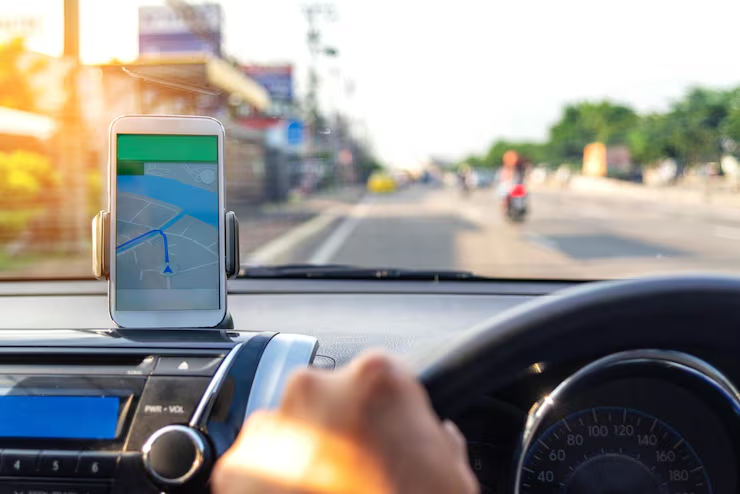
Keeping accurate vehicle mileage records requires more than checking the odometer at the beginning and end of every trip. Drivers need to record distances, organize journeys, distinguish business travel from personal driving, and maintain reliable documentation. A mileage tracking app simplifies this process by using smartphone GPS technology to detect trips, calculate distances, and store driving information automatically. Instead of relying entirely on handwritten notes or memory, drivers can review organized trip records and manage their mileage from one place.
For business owners, employees, freelancers, and people who regularly use their vehicles for work, this approach reduces manual recordkeeping and helps prevent missing information. Mileage Tracker helps drivers make vehicle mileage management more convenient by bringing essential trip information together in a dedicated mobile application.
How Does a Mileage Tracking Application Actually Work?
A mileage tracking application uses GPS technology, smartphone sensors, and location data to record vehicle journeys. Depending on the application’s features and settings, it can identify driving activity, capture trip routes, calculate distances, and save journey details for later review.
The process generally involves several connected steps.
1. GPS Identifies the Vehicle’s Movement
GPS is the primary technology behind most automatic mileage recording systems. Once location permissions are enabled, the application can use location signals from the smartphone to identify movement and track the vehicle’s route.
As the driver travels, GPS records location points along the journey. These points help establish the route taken and calculate the distance covered.
GPS-based tracking is particularly useful for drivers who make multiple business visits, travel between job locations, or handle regular client appointments. It reduces the need to check and record the odometer after every journey.
2. Trip Detection Identifies Driving Activity
Many mileage tracking apps use a combination of GPS data and smartphone motion sensors to identify vehicle movement.
Depending on the application, automatic detection can recognize patterns associated with driving, such as movement speed, location changes, and activity signals from the device.
When a journey is detected, the application may begin recording the trip without requiring the driver to start tracking manually.
Automatic detection helps prevent common recordkeeping problems, including forgetting to log a journey or entering incomplete trip information. However, drivers should review recorded journeys because location signals and motion detection can occasionally identify trips incorrectly.
3. Distance Is Calculated From Recorded Route Data
After detecting a journey, the application processes location information to estimate the distance traveled.
For example, a driver visiting three customer locations during a business day may have several separate trips recorded. The application uses the location points associated with each journey to calculate individual distances.
Distance calculations depend on GPS accuracy, location settings, and the quality of the recorded route. Tall buildings, underground parking areas, poor reception, and device restrictions can affect location information.
4. Trip Information Is Saved for Future Reference
Once a journey is recorded, the application stores relevant information, such as:
- Starting and ending locations.
- Travel distance.
- Route information.
- Trip date and recorded activity.
- Business or personal trip classification, when supported.
Having these details organized makes it easier to review previous journeys, identify business-related travel, and maintain mileage documentation.
What Makes Vehicle Mileage Tracking More Convenient?
Manual mileage recording creates additional work for people who drive frequently. Drivers must remember every journey, calculate distances, and maintain records in an organized format.
An app for tracking car mileage simplifies these responsibilities by reducing repetitive tasks and keeping driving information accessible.
Automatic Recording Reduces Manual Work
One of the most useful features is automatic trip detection. Drivers do not need to depend entirely on memory or remember to open a tracking tool before every journey.
For professionals who visit multiple locations, automatic recording can make daily mileage management considerably easier. It also reduces the likelihood of forgetting short trips that may otherwise go undocumented.
Organized Records Make Trip Reviews Easier
Keeping mileage information in one location makes reviewing previous journeys more straightforward.
Instead of searching through notebooks, spreadsheets, or separate notes, drivers can access recorded trip details through the application.
Organized records are particularly useful for:
- Employees documenting work-related travel.
- Freelancers visiting clients at different locations.
- Contractors traveling between job sites.
- Small business owners managing vehicle activity.
- Individuals monitoring their regular driving habits.
These records also provide useful information when reviewing business travel documentation or preparing mileage summaries.
Business and Personal Journeys Can Be Separated
People who use the same vehicle for professional and personal activities need to distinguish between different types of travel.
Many applications provide trip classification features that allow users to mark journeys as business or personal. Some also allow users to add notes or assign categories to recorded trips.
For example, a consultant visiting a client’s office can classify the journey as business travel, while a trip to a grocery store can be marked as personal.
This distinction helps maintain clearer records and reduces confusion when reviewing mileage information later.
Features That Improve the Mileage Tracking Experience
A useful tracking application should do more than calculate distance. Its features should support accurate recording, convenient organization, and easy access to trip information.
The following capabilities deserve attention when evaluating an application.
Automatic Mileage Tracking
Automatic tracking minimizes manual involvement by identifying vehicle movement and recording journeys. It is particularly helpful for drivers with frequent appointments or changing daily routes.
Trip History and Route Details
A trip history allows users to review previously recorded journeys. Route details provide additional context about where a vehicle traveled, while distance information helps users understand their driving activity.
Trip Classification
Business and personal trip labels make mileage records easier to organize. The ability to edit classifications is also useful because automatic systems may occasionally misidentify a journey.
Mileage Reports
Mileage reports bring recorded driving information together in a structured format. Depending on the application, users may be able to review total distances, categorized trips, and selected reporting periods.
For business users, organized reports can support internal documentation and help prepare mileage information for accounting purposes.
Data Access and Privacy Controls
Mileage records contain location information, so privacy deserves careful attention. Users should review an application’s permissions, data storage practices, account security options, and information-sharing policies.
An application should request access only to the device features required for its tracking functions. Drivers should also understand how location information is collected and retained.
How to Maintain Accurate Vehicle Mileage Records
GPS technology can simplify mileage recording, but accurate documentation still requires sensible tracking practices. Drivers should review their records instead of assuming every automatically detected journey is correct.
A few practical habits can improve record quality:
- Enable appropriate location permissions: Check that the application has the location access required for its tracking features.
- Review recorded journeys: Confirm that trip distances, starting points, and destinations are reasonable.
- Correct trip classifications: Change incorrectly categorized journeys to maintain clear business and personal records.
- Add relevant notes: Include the business purpose of a journey when useful for documentation.
- Check unusual distances: Review trips affected by GPS interruptions, inaccurate location signals, or unexpected route changes.
- Maintain supporting documentation: Keep relevant appointment details, receipts, or business records when required for tax or reimbursement purposes.
These practices help drivers maintain dependable records without making mileage management unnecessarily complicated.
Choosing a Car Mileage Tracker App That Fits Your Driving Needs
Not every driver has the same tracking requirements. Someone who makes occasional client visits may need basic automatic recording, while a field professional may require detailed trip histories, categories, and reports.
Before selecting an application, consider how its features support your actual driving routine.
Pay attention to the following areas:
- Tracking method: Check if the application supports automatic trip detection or requires manual entry.
- GPS accuracy: Understand how the application records routes and handles location interruptions.
- Editing options: Look for controls that allow you to correct trip details and classifications.
- Reporting capabilities: Check if mileage summaries and organized records are available.
- Battery usage: GPS tracking can consume additional battery power, so review how the application manages background activity.
- Data protection: Understand how your driving information is stored, accessed, and shared.
A suitable application should make routine mileage management easier without creating additional administrative work.
How Mileage Tracker Supports Better Driving Records
Mileage Tracker provides a dedicated way to approach vehicle mileage management through mobile trip tracking. Instead of depending solely on manual distance entries, drivers can use application-based tracking to organize their driving information and keep relevant trip details accessible.
For people who regularly travel for business, having mileage information in one place can make it easier to review journeys and maintain consistent records.
The practical value of a tracking application depends on how well its available features match the driver’s requirements. Users should review tracking permissions, trip information, available reporting tools, and classification options before making it part of their regular routine.
Make Every Journey Easier to Document
Accurate mileage records depend on consistent trip recording, clear classifications, and accessible documentation. GPS-based applications simplify these responsibilities by detecting vehicle movement, calculating distances, and organizing journey information in one place. Drivers can spend less effort on repetitive recordkeeping and more time managing their actual travel responsibilities.
Mileage Tracker offers a practical starting point for drivers who want a more organized approach to vehicle mileage management. Visit our website to learn more about its tracking capabilities, or contact us to understand how the application can support your driving recordkeeping needs.
A suitable tracking tool also helps business owners, independent professionals, and employees maintain clearer driving records. Reviewing trip details and correcting occasional tracking errors further improves the quality of that information.
